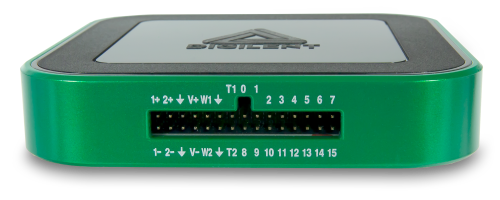
ABRA AB-3300 DC supply, GW INSTEK GFG-8216A function generator, Analog Discovery 3 (AD3) with WaveForms software, BK Precision 2831D DMM
BC547 NPN transistor; one red and one green LED; two 330 Ω, one 220 Ω, and one 1 kΩ resistor
Instructor-approved component information and the circuit figures below
Safety first
Make the bench safe before wiring
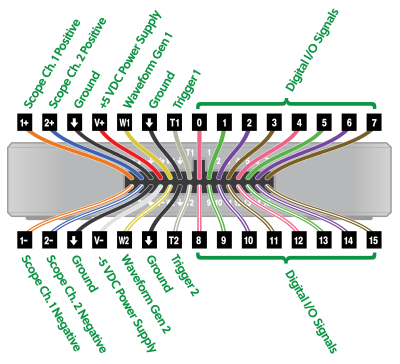
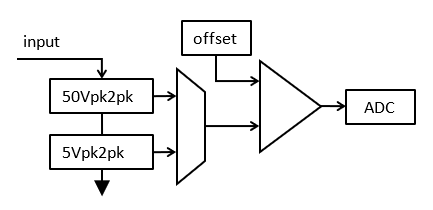
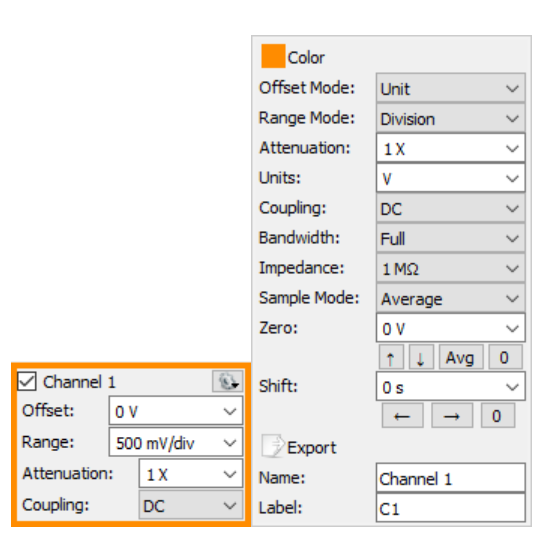
Analog Discovery 3 hardware.AD3 connector pinout.Scope input range overview.Channel properties and DC coupling.
Power off before changes.
Disconnect the DC supply and function generator before inserting, removing, or moving any wire or component. Your instructor must check each newly built circuit before you apply power.
Wear closed-toe shoes and safety glasses; remove dangling metal or jewellery. Know the exits, emergency power shutoff, and extinguisher location.
Keep the bench clear. Do not open or relocate equipment. Do not use damaged leads or instruments; report them.
Check LED polarity and the exact BC547 pinout before insertion. Avoid touching component leads unnecessarily.
Use a common circuit reference: DC supply ground, function-generator ground, and AD3 WaveForms Scope-channel grounds must connect to the circuit ground shown. Never connect an AD3 ground lead to an arbitrary powered node.
Avoid shorts and stay within component ratings. If anything heats, smells, or smokes, turn off supplies, disconnect sources, and tell the instructor.
Use an adjustable protected output—not the fixed 5 V/3 A terminals. Set independent mode, 5 V, and a current limit near 100–200 mA. Begin at the lowest current and raise it only until constant-current indication stops. Verify voltage with the DMM.
Function generator
Select the required waveform, frequency range, amplitude, and offset while disconnected. Verify the actual signal with the WaveForms Scope before attaching it to the transistor circuit.
Preparation
Identify parts before insertion
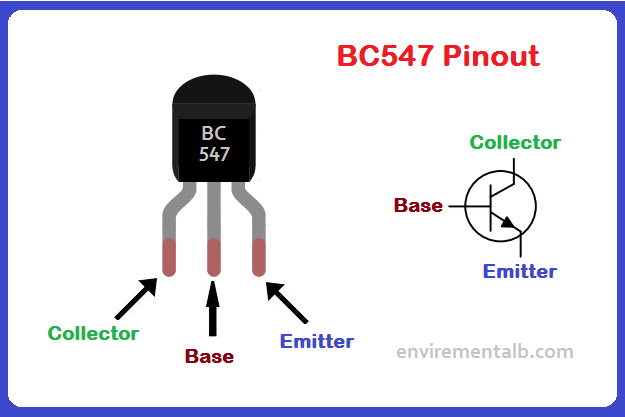
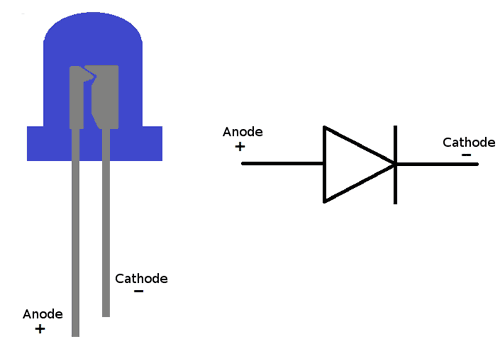
BC547 transistor pin identification. Verify the marking and datasheet for your exact part.LED polarity cues: longer lead is usually the anode; the flat edge is nearest the cathode.
Do not assume all NPN packages share a pin order.
Read the marking on your transistor, find the approved datasheet for that exact part, and confirm collector, base, and emitter. For the BC547 shown here, the flat face toward you is C–B–E from left to right; verify the installed part before wiring.
Part
Check before use
330 Ω ×2, 220 Ω, 1 kΩ
Read the colour code or measure resistance; use ¼ W parts and remain below their rating.
Red and green LEDs
Identify anode/cathode; a series resistor is mandatory.
BC547
Record the full marking and confirm C, B, E from approved component information.
Breadboard
Trace connected rows and separated power rails with power off.
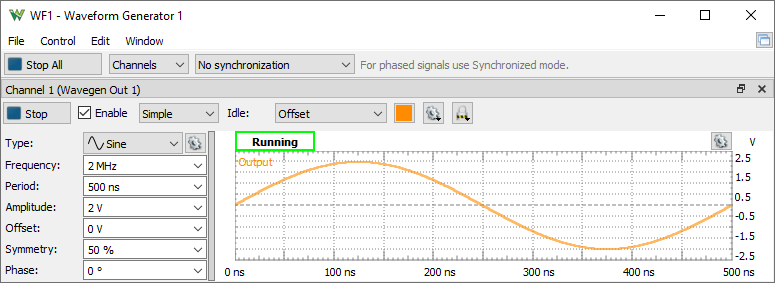
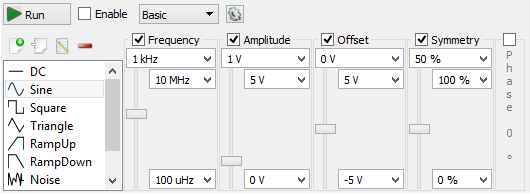
Wavegen simple mode.Wavegen basic controls.Scope two-channel display.Time base and channel range.
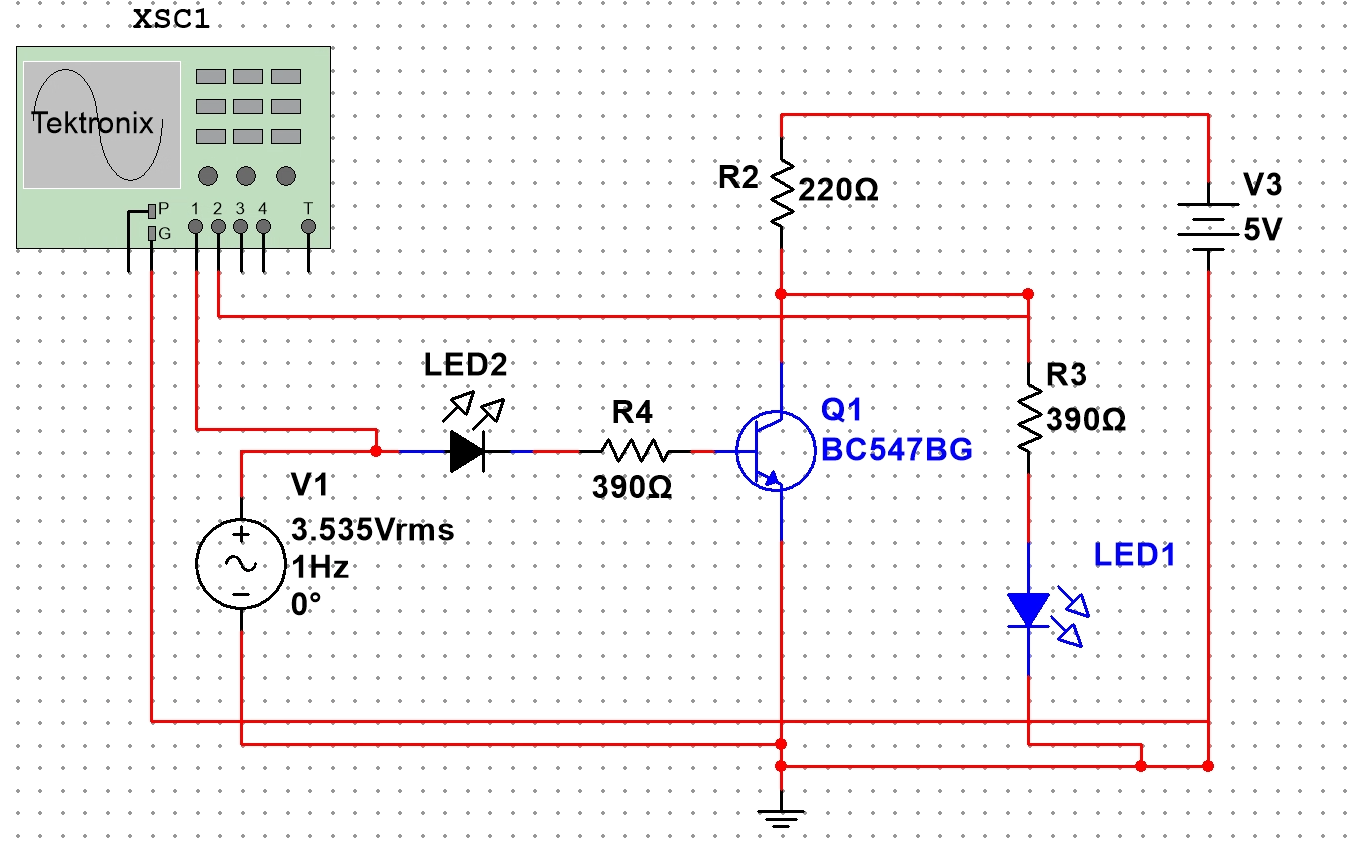
LED transistor switching circuit. LED1 is red and LED2 is green. Use the labelled component values and verify Q1 terminals before wiring.
Generator settings
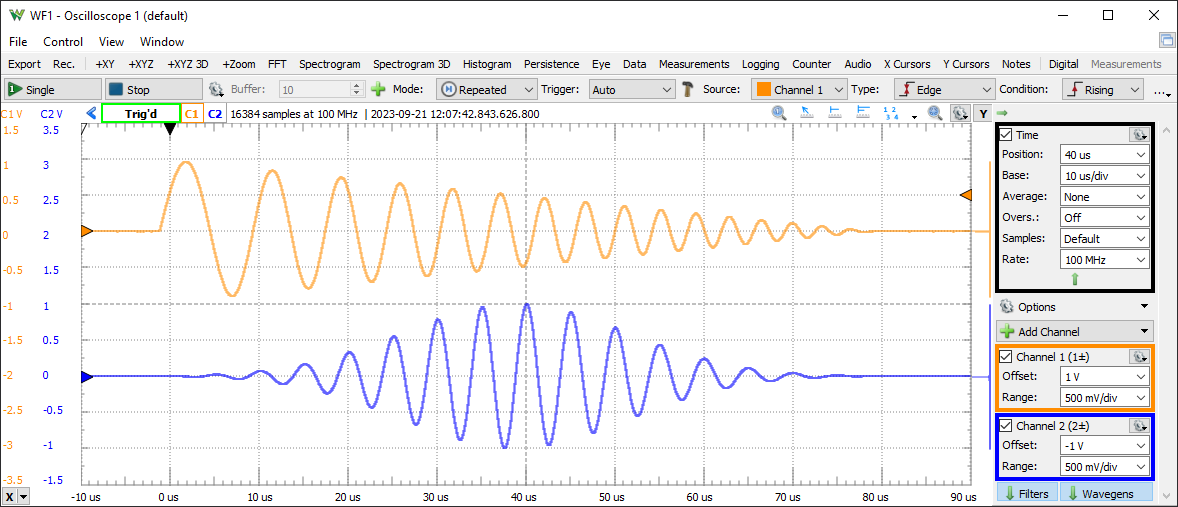
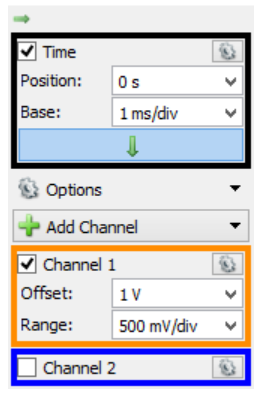
Set a sine wave at 5 V amplitude, 0 V DC offset, and 1 Hz. In WaveForms, open Scope and verify both channels, the time base, voltage scale, and trigger before connection.
Power off: build the circuit exactly as shown. Join all source and instrument grounds at circuit ground.
Connect AD3 Scope Channel 1 to the function-generator input node and Channel 2 to the transistor output/collector node. Connect both AD3 grounds to circuit ground, then use WaveForms Scope to set the time base, volts/div, trigger source, and trigger level.
Configure and verify the generator while disconnected: sine, 5 V amplitude, 0 V offset, 1 Hz.
Ask the instructor to inspect the wiring. Then apply 5 V DC and the verified input.
Display one or two complete cycles. Use Measure or the graticule to obtain input period and peak-to-peak voltage. Observe both LEDs over several cycles.
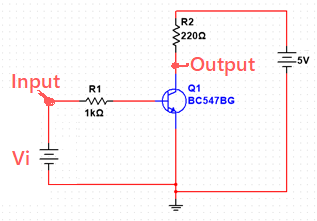
Simple transistor switching circuit used for the VTC and timing work.
Power off and replace the LED circuit with the simple circuit shown. Ask the instructor to check it before applying power.
Use the DMM to measure actual input voltage Vi and output voltage Vo.
Starting at 0.0 V, adjust the DC input through 5.0 V in 0.1 V setpoint steps. At every step, record the actual input and output. Approach each setting deliberately; do not rewire live.
Plot Vo versus Vi in Excel. Label axes and units and use a scatter plot that preserves numeric spacing.
From the plot, estimate VOH≈Vmax and VOL≈Vmin. Find VM where the curve meets Vo=Vi; draw the tangent at that point and extend it to the high and low output levels to estimate VIL and VIH.
Sweep Vi from 0.0 V to 5.0 V in 0.1 V increments. At each step, record the actual Vi and measured Vo in volts.
Target input
Actual Vi (V)
Vo (V)
Experiment 2 · dynamic
Measure switching response time
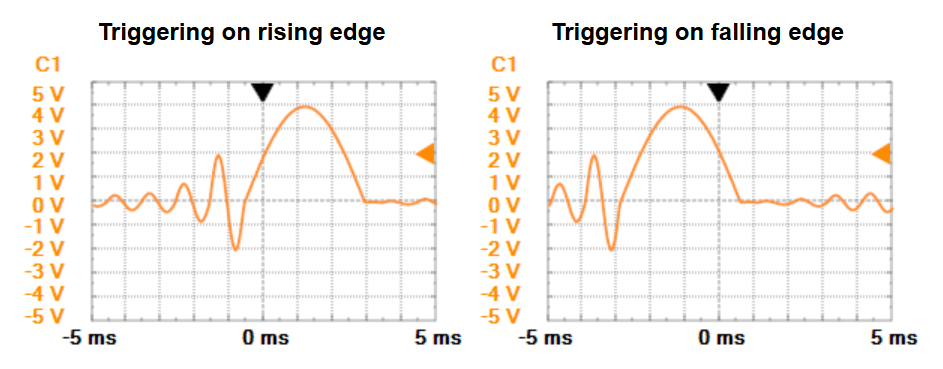
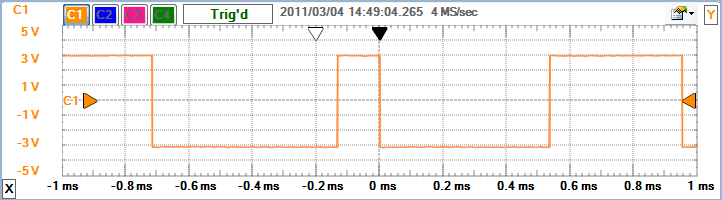
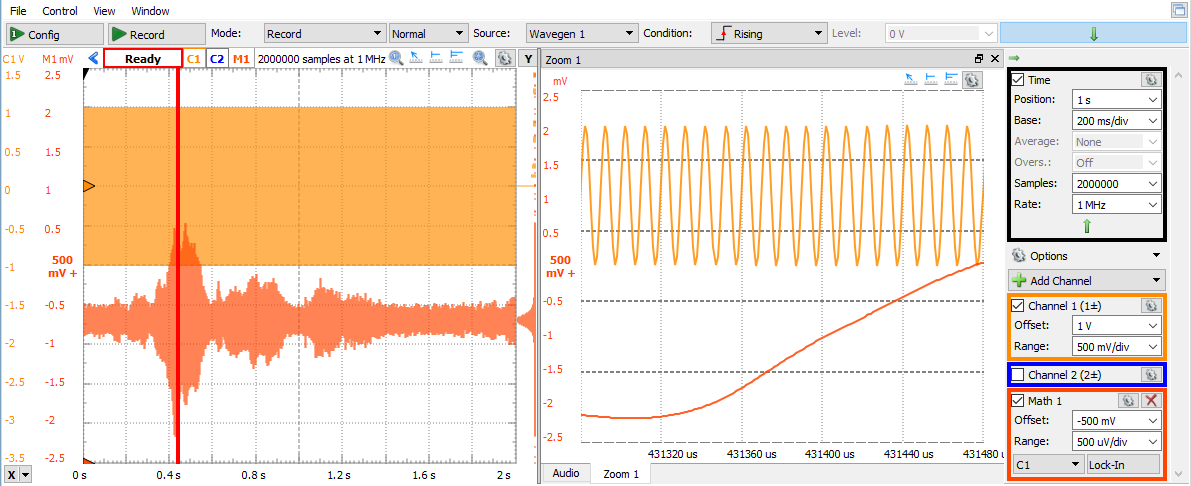
Trigger controls.Rising and falling edge triggers.Digital waveform display.Record mode and zoom.
Keep the simple transistor circuit. With its input disconnected, configure a square wave in WaveForms Wavegen at 5 V amplitude, 0 V offset, and 1 kHz; verify it in the WaveForms Scope.
Connect AD3 Channel 1 to Vi and Channel 2 to Vo. Use the shared circuit ground and display both traces in WaveForms Scope.
Increase frequency until the output rise and fall intervals are clearly visible. Adjust time/div and volts/div without hiding either transition.
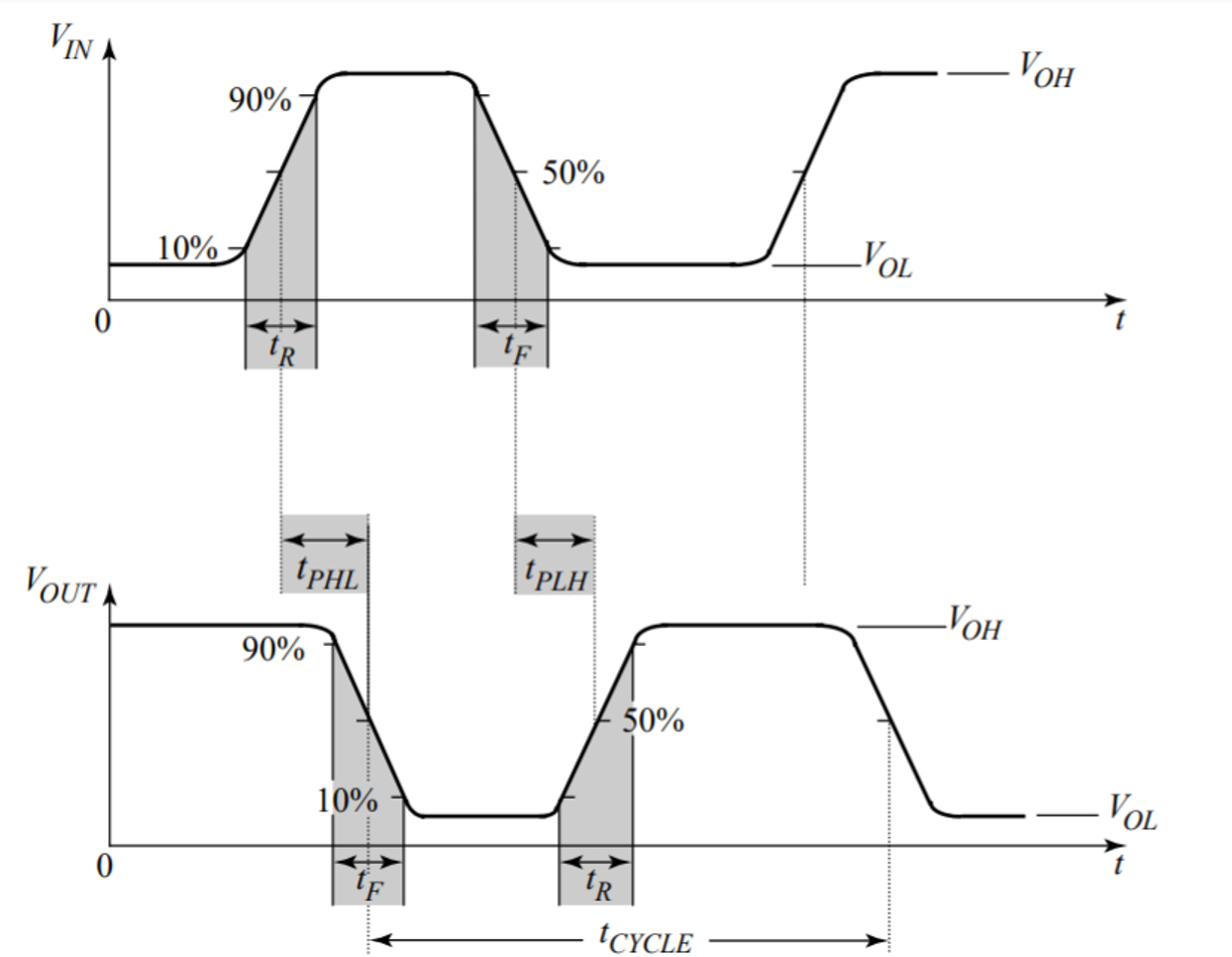
Measure output rise time tR, fall time tF, high-to-low propagation delay tPHL, and low-to-high propagation delay tPLH using consistent threshold points.
Save a WaveForms screenshot that shows both signals, the time/voltage scales, trigger settings, and the transitions used.
Switching-time measurement definitions for propagation delay, rise time, and fall time.
Answer from your own circuit, plots, and waveforms. Explain relationships rather than restating measurements.
Completion
Review and create the local submission ZIP
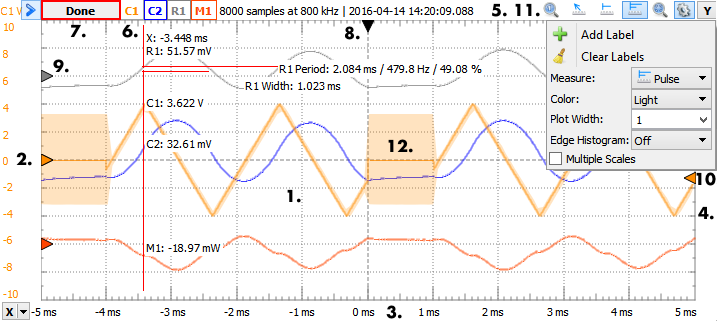
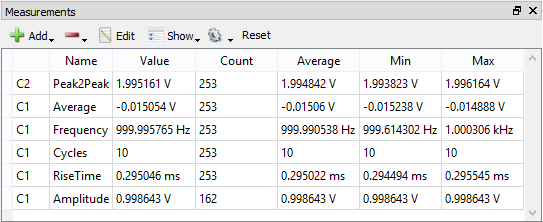
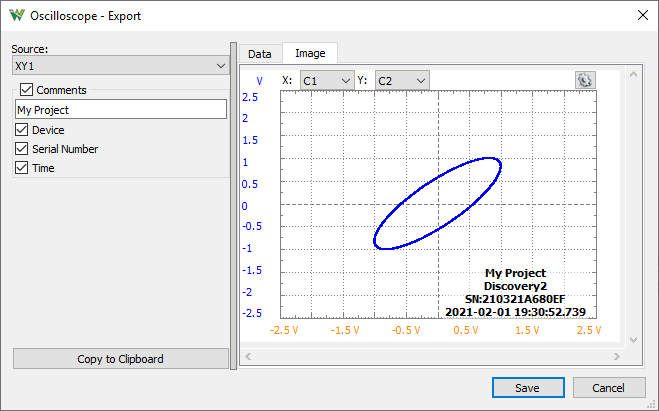
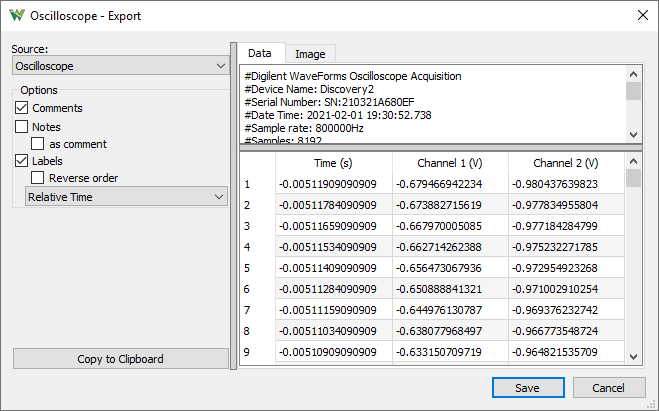
Cursors and waveform measurements.Measurements table.Export an image capture.Export measurement data.
Keep the actions distinct
Completing this manual saves responses in this browser. Selecting evidence adds live files to the next locally generated ZIP. Neither action uploads to Avenue. Follow your instructor’s current direction for submission.
Confirm the instructor checked circuits before power and discussed your alternate VTC method.
Confirm the three evidence files clearly show the requested milestone.
Download the ZIP in this same session; after reload, evidence files must be reselected.
Submission package
Download your Lab 1 submission ZIP
The ZIP includes completion.json and the evidence files selected in this browser session.
Submission Details
Enter all four required details before downloading: Student Names, Student Numbers, Lab Section, and Lab Instructor.
Evidence files must be reselected after reopening the page.